 Tangerine
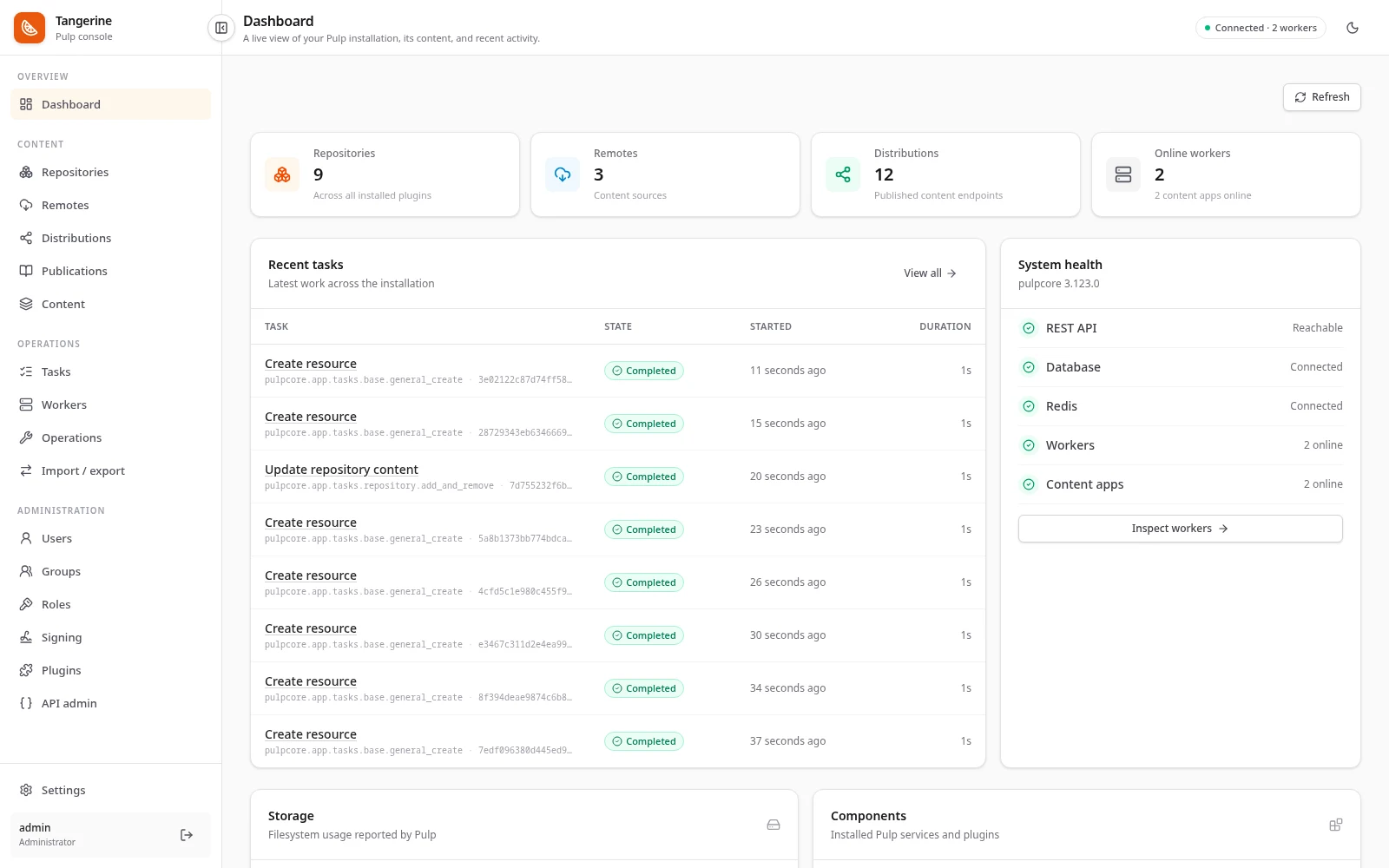
A modern, full-admin web console for Pulp.
Repositories, content, tasks, RBAC, and optional OIDC SSO — without forking Pulp.




Install · User guide · SSO · Privacy · Developer guide
Tangerine is a static React single-page application that talks directly to the Pulp REST API from the browser. It has no backend of its own and runs on the same origin as Pulp:
https://pulp.example.com/ui/     -> Tangerine (static files)
https://pulp.example.com/pulp/   -> Pulp API and content app
Because the UI and API share an origin, Pulp's normal session cookie and CSRF handling work without cross-site tricks. The optional SSO gateway is a separate Python service that brokers OpenID Connect for stock Pulp.
Why Tangerine?
- The whole admin workflow — repositories, remotes, distributions, publications, content, artifacts, tasks, Pulp Services, operations, RBAC, signing, and import/export in one console.
- SSO for stock Pulp — optional OIDC gateway for Google Workspace, Microsoft Entra ID, Keycloak, or generic OIDC, with declarative access rules and repository-scoped administrators.
- Plugin-aware — discovers the installed plugin set, groups versioned packages, and surfaces OSV vulnerability badges.
- Same-origin security — Pulp session cookies and CSRF work normally; credentials are never stored in browser storage.
- Deploy your way — static nginx image, Docker Compose, Helm/Traefik, external PostgreSQL, and S3-compatible object storage.
Who it's for
Pulp administrators, platform and repository teams, and self-hosted operators who want a faster admin surface and a supported SSO path for stock Pulp.
Start here
- Installation — local stack, first admin, production image, Helm.
- User guide — every screen and workflow, with screenshots.
- Telemetry — the optional prompt-only anonymous heartbeat.
- Privacy — controller, legal bases, subprocessors, retention, and your rights.
- Single sign-on — the full OIDC gateway runbook.
- Developer guide — architecture, data layer, testing, gateway, Helm, and releases.
What it does
- Repositories, remotes, distributions, publications — create and manage Pulp content sources and endpoints across the installed plugins.
- Plugins & Content — plugin cards, content-type discovery, package/version grouping, uploads, and OSV vulnerability badges.
- Artifacts — stored files with checksums and core artifact downloads.
- Tasks and Pulp Services — task state and cancellation, application workers, and a read-only Pulp pod view when the optional agent is deployed.
- Operations — orphan cleanup, repair, reclaim, schedules, and import/export.
- RBAC — users, groups, roles, object roles, and custom roles.
- Signing — RPM metadata signing and signing-service inventory.
- API admin — a schema-driven request console for the long tail.
- SSO — optional Google, Microsoft Entra ID, Keycloak, or generic OIDC login through the Tangerine gateway.
Curated coverage includes File, RPM, Debian, Python, Container, Ansible, Gem, Maven, NPM, and Hugging Face repositories, plus core, certguard, and the installed-plugin inventory.
SSO that works with stock Pulp
| Provider | Login | Access rules |
|---|---|---|
| Google Workspace | OIDC, optional hosted-domain policy | Groups and roles |
| Microsoft Entra ID | OIDC, single or allowlisted tenants | Security groups and app roles |
| Keycloak | OIDC | Groups and roles |
| Generic OIDC | OIDC discovery | Groups and roles |
Declarative rules map IdP groups or roles to Pulp RBAC, with baseline/strict membership, repository-scoped administrators, domain allowlists, and an admin preview that writes nothing. The gateway is optional; Pulp's local password login remains available. See the SSO runbook.
Quick start
docker compose up -d
docker compose exec pulp pulpcore-manager reset-admin-password --password admin
npm install
npm run dev
Open http://127.0.0.1:5173/ui/ and sign in as admin / admin.
See Installation for production images, Helm, and Pulp settings.
Privacy
Telemetry is disabled unless the deployment renders the agent with
telemetry.mode: prompt, and nothing is sent until an administrator reviews the
notice and allows it. The full policy is available in the app and at
Privacy.
Community
- Questions, bugs, and feature requests: open an issue.
- Security reports: follow the security policy.
- Contributions: see CONTRIBUTING.
- Related ecosystem: Pulp, Pulp Operator, Keycloak, Microsoft Entra ID, Google Workspace, and Traefik.