Administration
The Administration group holds the screens that describe or reach beyond the curated workflows: content guards, signing services, the schema-driven request console, and runtime settings.
Signing services
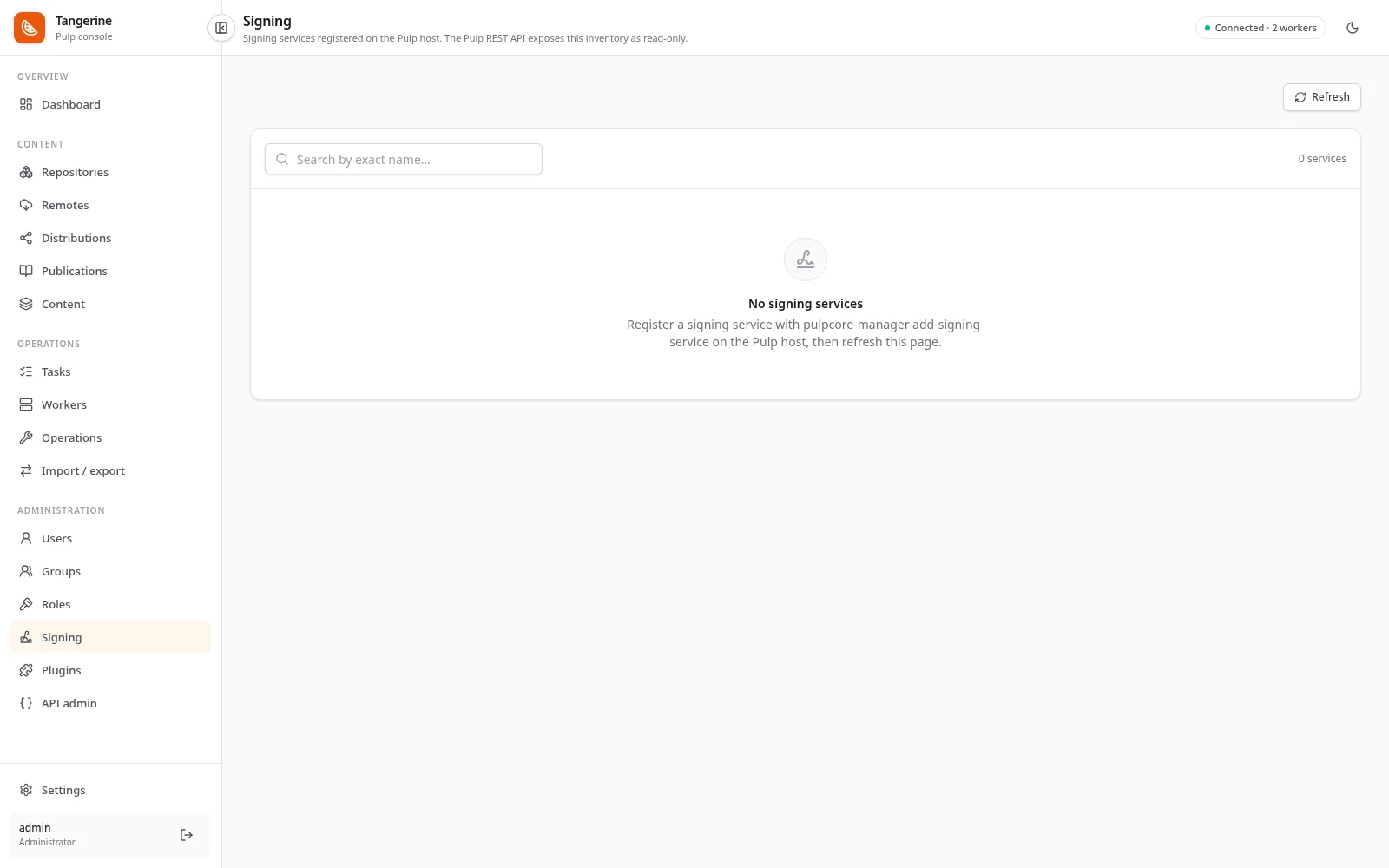
Pulp's REST API exposes signing services read-only, so this screen is inventory-only. It lists the registered services with their name, type, and API href. An empty state explains how to register one.
Register a signing service on the Pulp host, then refresh:
pulpcore-manager add-signing-service <name> <script> <key-id> \
  --class signing_service.RSAProgressReport
Signing is per-plugin. Tangerine exposes RPM repository metadata signing
(metadata_signing_service, which signs repomd.xml) and Debian APT release
signing (signing_service). It does not expose package signing, which would
sign arbitrary uploaded RPMs with the instance key. Only trusted staff see the
signing fields; repository-scoped SSO admins do not, and the gateway rejects
signing fields in scoped writes. If the list is empty, no service is
registered — the UI cannot create one for you.
Content guards
Content guards require a client certificate, header, redirect, or RHSM certificate before a distribution serves content. The Content guards screen lists every guard, its type, description, and creation time, and offers create and delete actions. See Content guards for the guard types and the distribution picker.
API admin
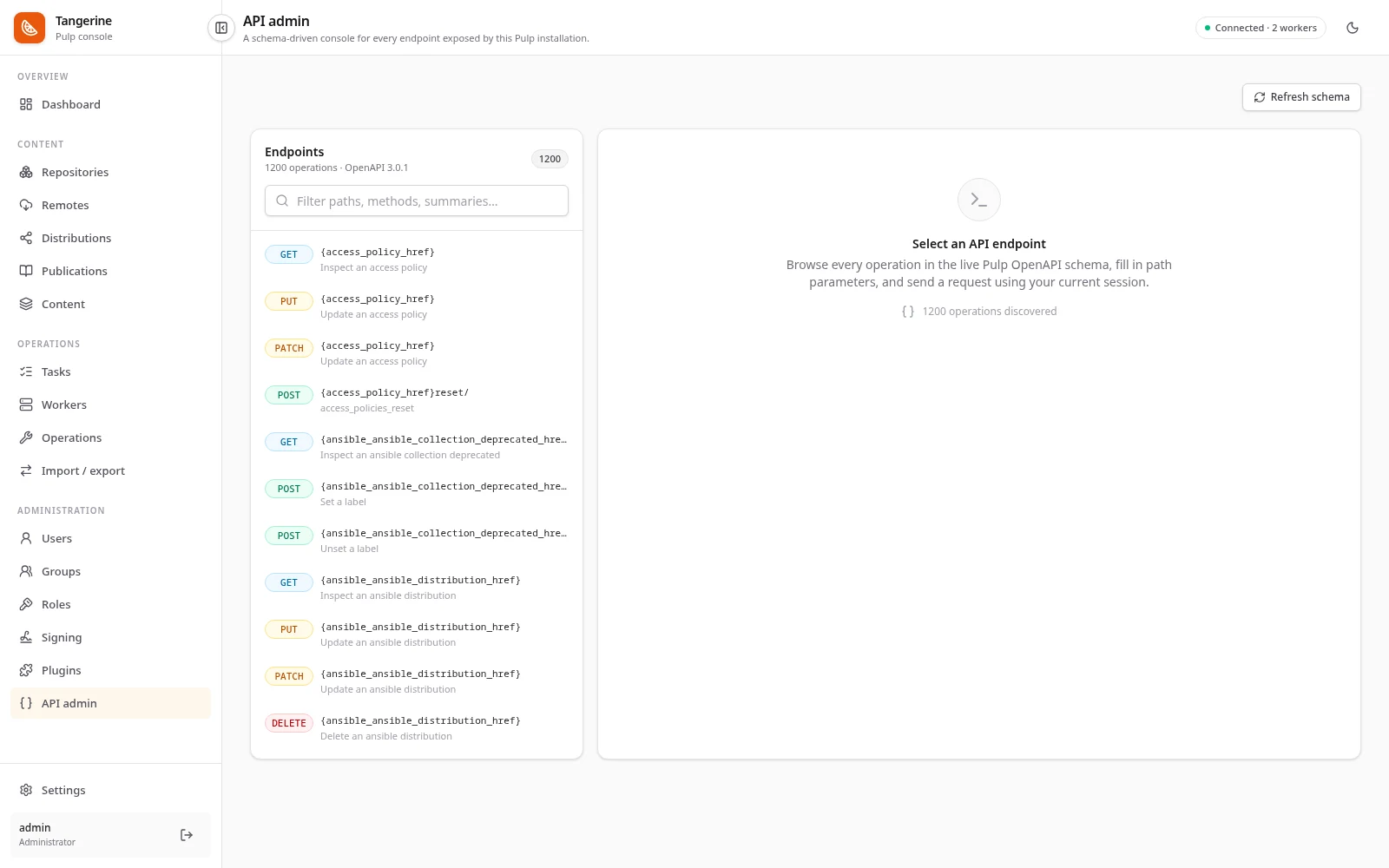
API admin is the escape hatch for everything without a curated screen. It fetches the live OpenAPI
document from docs/api.json and flattens it into 1200+ operations — the count depends on installed
plugins.
- Filter searches paths, methods, and summaries.
- Selecting an operation shows its summary, description, and the fields derived from the schema.
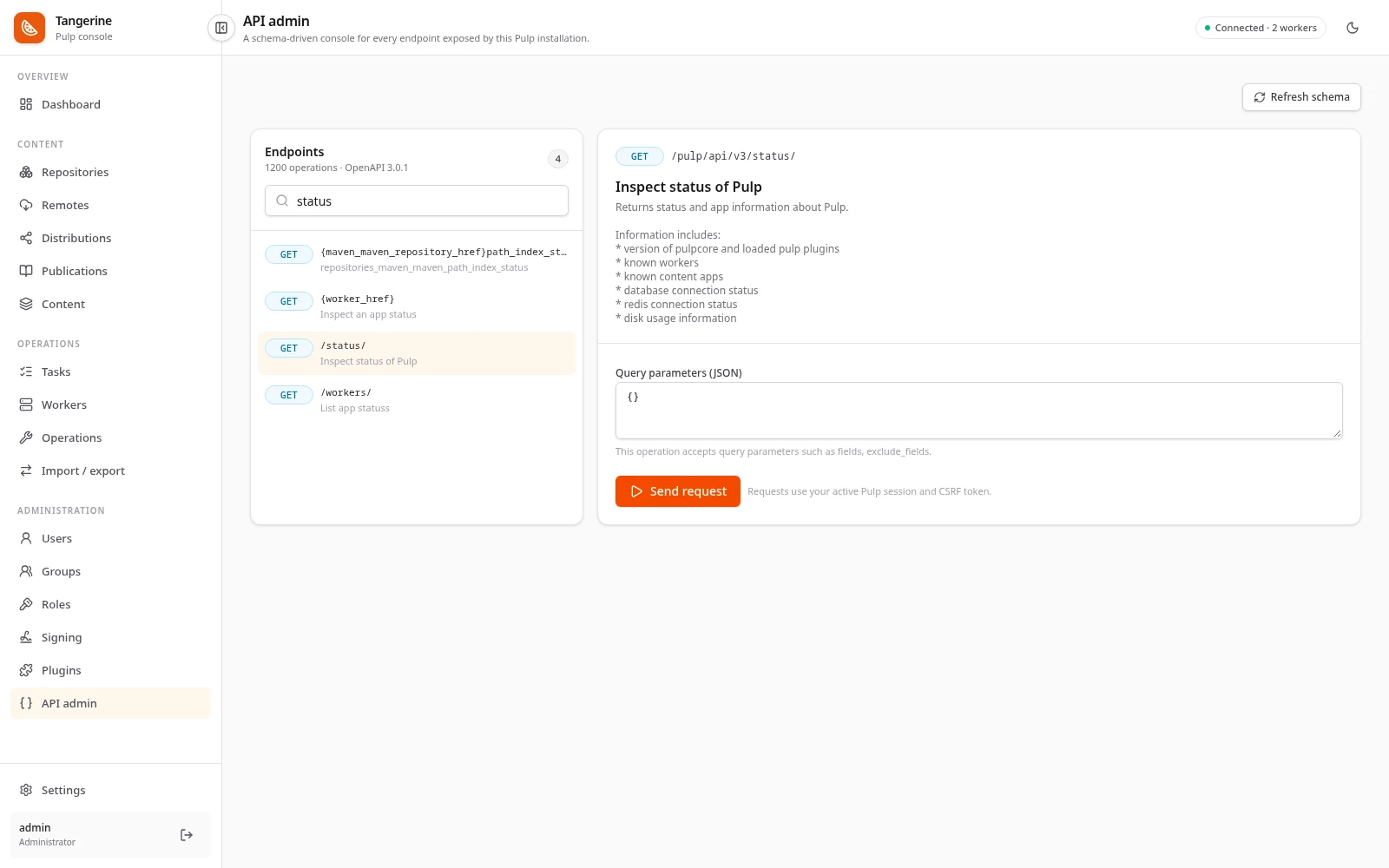
The request panel supports:
- Path parameters as individual inputs, generated from the path template;
- Query parameters as JSON, for example
{"limit": 10, "ordering": "-pulp_created"}; - Request body as JSON, or as multipart fields when the operation consumes
multipart/form-data; - Send request, which uses the current session and CSRF token, then shows status, headers, and the response body with a copy action.
Requests run with your permissions. Destructive calls are not confirmed beyond the button press —
double-check the method and path before sending a DELETE or PATCH.
Good uses of API admin:
- deleting a distribution (the curated UI intentionally omits it);
- running scoped repository reclaim, task cleanup, or task purge;
- exporting or importing without a curated form;
- inspecting an object whose detail page does not show the field you need.
Settings
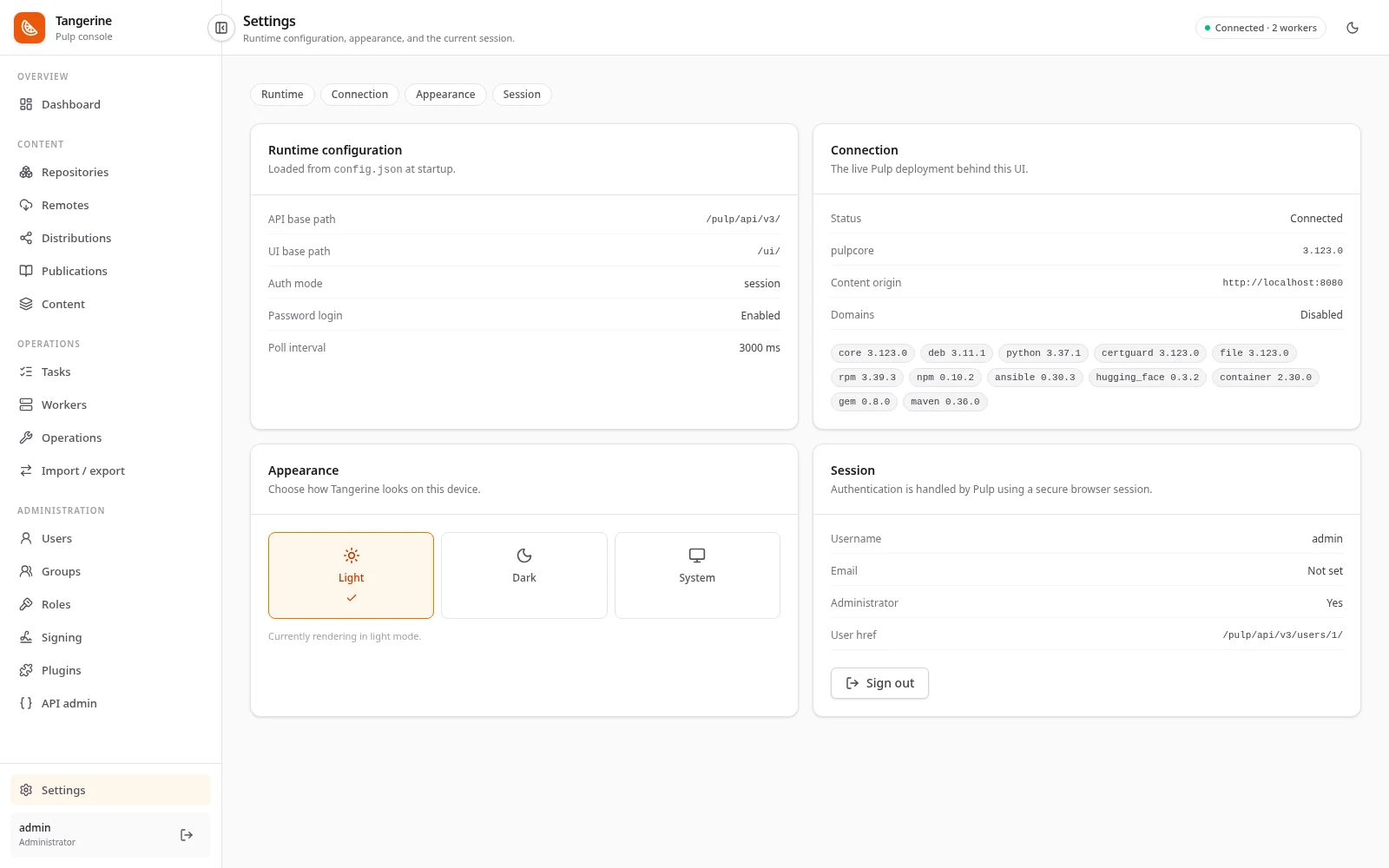
Settings has persistent Runtime configuration, Connection, Appearance, Session, and Privacy cards, plus Telemetry and SSO when the deployment enables them:
| Card | Contents |
|---|---|
| Runtime configuration | API base path, UI base path, auth mode, password-login state, poll interval, and any gateway settings. Read-only, because it is loaded from config.json |
| Connection | Status, pulpcore version, content origin, domain support, and the full plugin version list |
| Appearance | Light, Dark, or System theme for this device |
| Session | Username, email, administrator flag, user href, and sign-out |
| Privacy | The full telemetry privacy policy and contact, available even when telemetry is disabled |
| Telemetry | Consent state, instance ID, payload preview, and the disable-and-delete flow; visible to administrators when the agent is deployed |
| SSO | Provider and access-rule administration in gateway mode, visible to maintainers |
The Tangerine build version appears in the sidebar brand, under the
Tangerine title (v…), and is hidden in the collapsed desktop rail. It comes
from the build-time VITE_APP_VERSION (the full build version, including the
timestamp, in CI; default 0.0.0), so it always matches the image tag rather
than runtime config.
Two details are worth knowing:
- Administrator reflects Pulp's
is_staff, not superuser status. A superuser withoutis_staffshows "No". - Runtime configuration is fixed at page load. Changing
/ui/config.jsonon the server requires a reload, and changinguiBasePathalso requires rebuilding the image with a matchingVITE_BASE_PATHbecause the asset paths are compiled in.
Single sign-on settings
When the deployment runs in gateway mode, additional cards appear below Settings with the
identity-provider configuration served by the gateway: the provider list, gateway status (including
a self-test of the identity-header path), and the Pulp bootstrap account. Providers are data in the
gateway's database, not in config.json, and adding one is a privileged operation.
The provider form includes Google/Microsoft/Keycloak presets, pre-save discovery with issuer correction, a copyable redirect URI with an HTTPS warning, secret-file preflight, declarative access rules, a baseline group and roles, opt-in strict membership, an email/UPN domain allowlist, and username-claim and verified-email options. Saved Google/Entra providers also offer IdP group search for rule values. The admin-only preview login shows the username, group/role and group-role diffs, baseline/strict state, and a domain rejection without writing to Pulp.
The same screen provides provider import/export, a provider-change audit log, mounted-secret status,
and a read-only access-policies card. Apply the read-only users/roles/signing policies with
gateway/scripts/bootstrap_access_policies.py --apply; deployment automation may run it after Pulp is ready.
Gateway mode never auto-redirects unauthenticated visitors; that is what prevents a provider outage
from becoming a login loop. Use authMode: "external" if the ingress handles authentication and you
want an automatic bounce.
Where to go when a screen is missing
If a Pulp capability has no curated screen, it usually falls into one of these buckets:
- Read-only by API design — signing services. The UI explains the server-side command instead of faking an action.
- Needs a curated workflow — open an issue. Repository, remote, distribution, publication, RBAC, and import/export screens all started this way.
- Long tail — use API admin. It is a request console, not a form generator, but it covers every endpoint the installation exposes.
Back to the guide index.