Remotes
Remotes describe where content comes from: an upstream repository, a registry, or a file server. They are reusable — one remote can be attached to several repositories, and a repository sync uses whichever remote is attached to it.
The remote list
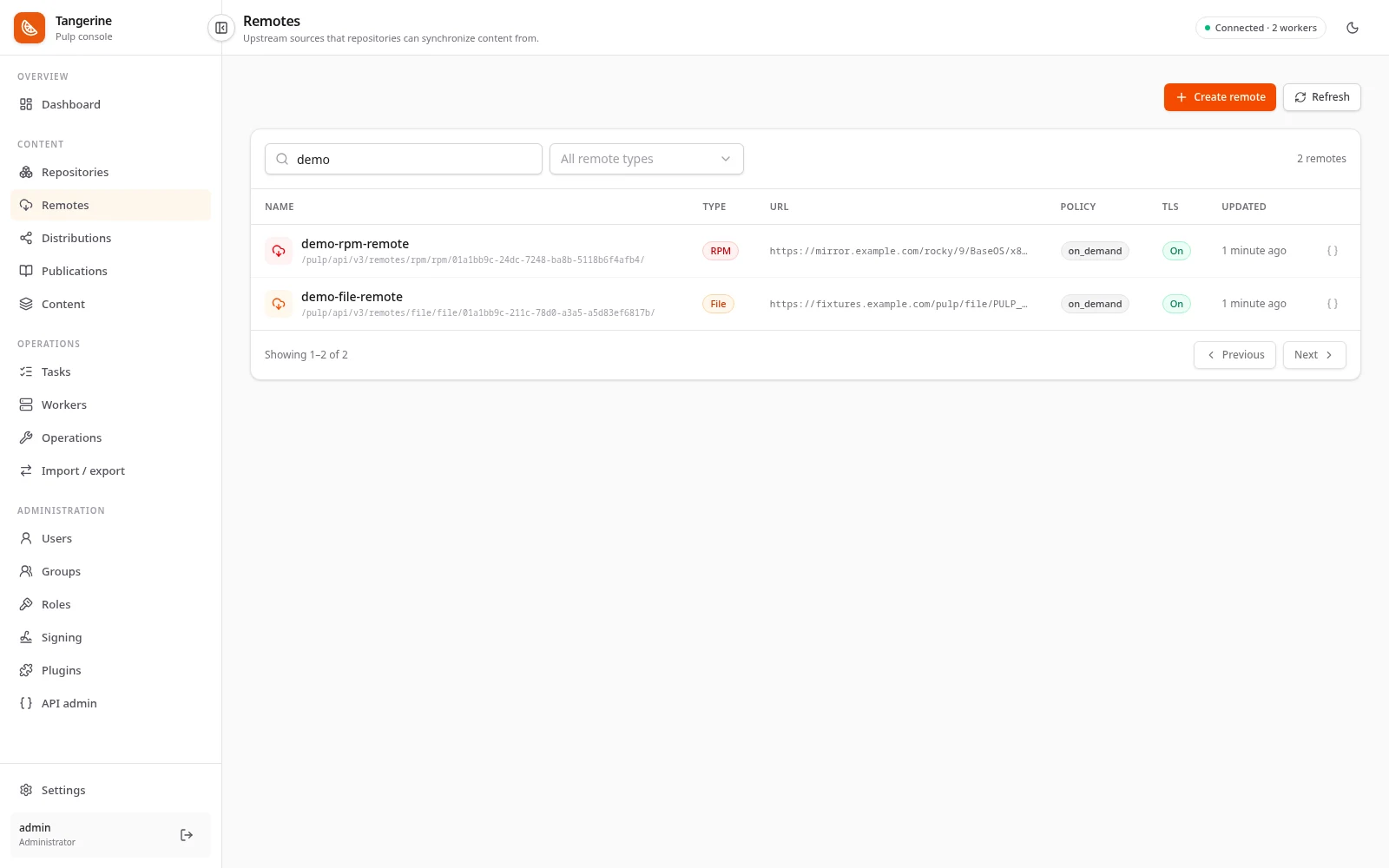
The list shows the combined /remotes/ endpoint with name, plugin type, upstream URL, download
policy, TLS verification state, and last update.
- Search filters by name (
name__contains), stored as?q=in the URL. - The type filter narrows the list to a single remote type, useful on installations with many plugins. Options come from the installed plugins, not a hardcoded list.
Creating a remote
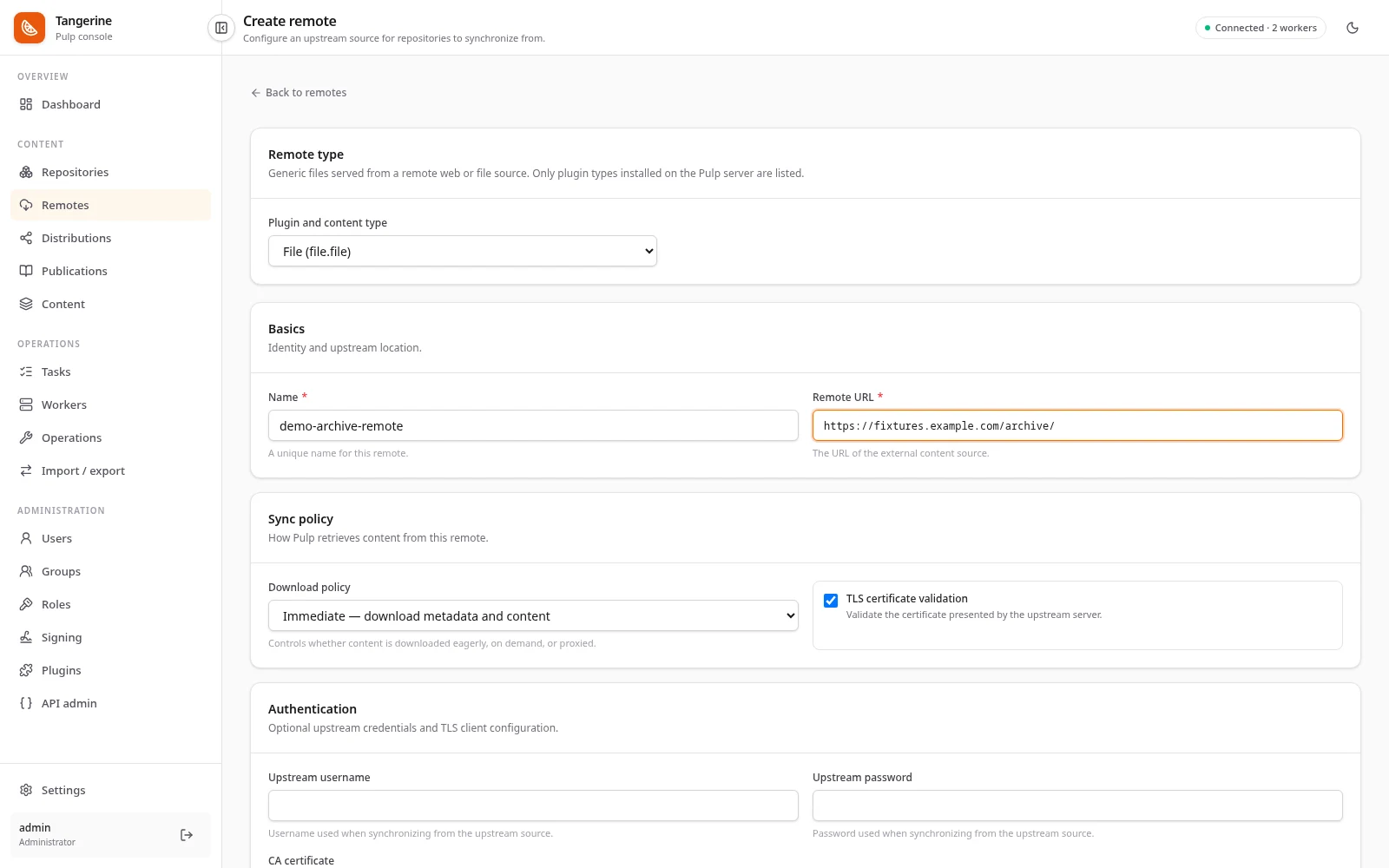
Create remote opens a full-page form rather than a dialog, because plugin remotes have long field lists.
- Choose the plugin and content type. Each entry maps to
remotes/<plugin>/<type>/. Only installed plugins are offered. - Fill the fields. They are generated from the live OpenAPI schema, so the form matches the exact version of the plugin running on your server — RPM shows sync policy and metadata options, Python shows package types, Container shows registry and token settings, and so on.
- Values are validated client-side where the schema allows it: required fields are marked, numbers
must be numbers, JSON fields must parse, and key/value fields use one
key=valuepair per line.
Common fields you will meet:
| Field | Notes |
|---|---|
| Remote URL | The upstream base. Required for most types |
| Download policy | immediate, on_demand, or streamed. streamed is only valid for some types |
| TLS certificate validation | Leave on unless the upstream uses a self-signed certificate |
| Upstream username / password | Write-only credentials |
| CA / client certificate / client key | PEM material for mutual TLS |
| Proxy URL, proxy credentials | Per-remote proxy |
| Timeouts, retries, concurrency | Tuning for slow or rate-limited upstreams |
| Extra headers | Custom request headers, one per line |
If creation fails, the API message is shown verbatim. A 400 for an unknown field usually means
the plugin version on the server differs from the form; reload the page to pull a fresh schema.
Remote detail
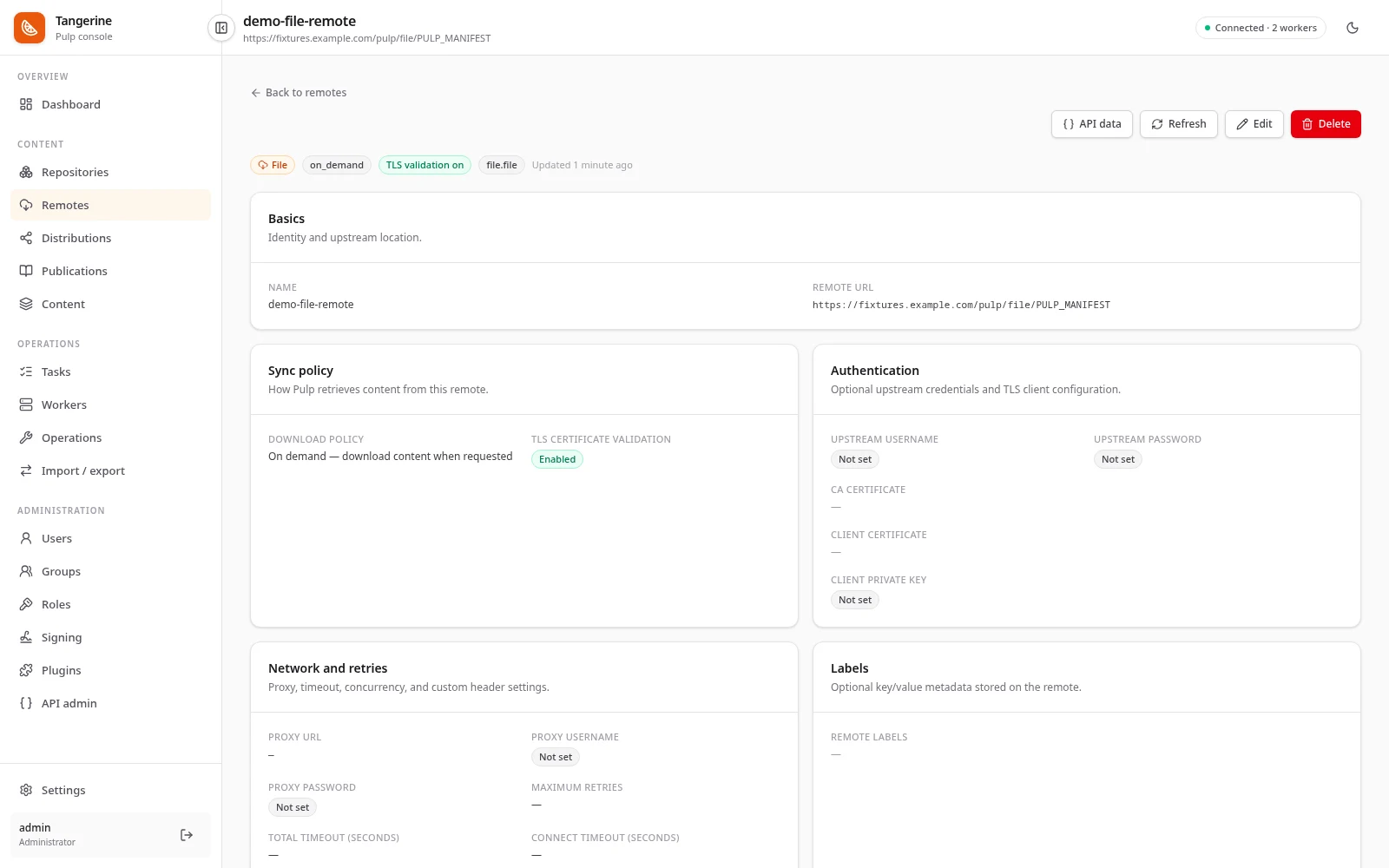
The detail page groups the remote's configuration into readable cards instead of one long list:
- Basics — name and upstream URL.
- Sync policy — download policy and TLS validation, with a plain-language explanation of the policy.
- Authentication — upstream username and password state, plus certificates.
- Network and retries — proxy settings, timeouts, retries, concurrency, rate limit.
- Labels — optional key/value metadata.
The header buttons are Edit, API data, Refresh, and Delete. Editing opens the same schema-driven form as creation, pre-filled from the current record.
Write-only secrets
Pulp never returns passwords, tokens, client keys, or proxy credentials. Instead each response
carries hidden_fields entries describing which secrets are set.
Tangerine therefore shows Not set or Configured rather than a masked value, and the edit form
sends a secret only if you type a new one. Leaving the field blank keeps the stored credential;
there is no way to read it back. This is deliberate — do not expect the form to display the current
password.
Deleting a remote
Delete asks for confirmation and explains that repositories using the remote will no longer be able to sync. Pulp may return a task; the UI waits for it before refreshing.
Next: Distributions